Categories

2024’s Top 3 Trends to Modernise and Secure Your Intranet

As we venture into 2024, a trio of emerging trends are set to redefine the landscape of SharePoint intranets. In an era where workplace dynamics are in a state of flux, the technological foundation of Microsoft 365’s digital workplace is gearing up for a substantial makeover.

2024 is expected to see generative AI, particularly in the form of Copilot, playing a crucial role in reshaping SharePoint intranets. However, it’s important to remember the old adage: ‘garbage in, garbage out’. To extract the maximum benefit from Copilot or any AI tool, it’s essential to put your affairs in order first. While ensuring effective governance might not be the most exhilarating task, it’s becoming increasingly relevant. A well-managed intranet is the key to unlocking the potential of future advancements.

As remote and hybrid working models become more entrenched, the onus is on creating a SharePoint intranet that is centred around the user. Providing an experience that is both intuitive and engaging, where staff can find personalised news, relevant content, and resources, is crucial.

Embedding AI in Your SharePoint Intranet

Research suggests that employees spend a significant portion of their working week – roughly 25% – searching for and collating information from their intranet. AI made a resounding impact in 2023, marked by the overwhelming popularity of ChatGPT, the debut of Microsoft’s Copilot, and the ascent of ‘generative AI’ from a niche concept to a mainstream buzzword. However, its practical application, especially within SharePoint intranets, was not widespread. In 2024, this is poised to change.

Microsoft envisions AI as a pivotal element in the future of SharePoint, with Copilot at its core. With a massive influx of data into SharePoint monthly, the integration of AI is not just an enhancement; it’s a necessity for a smarter way of working. Expect AI to drive personalised experiences, refine search capabilities, streamline content management, and facilitate the introduction of chatbots and virtual assistants for routine tasks.

Copilot’s integration into SharePoint is set to be a game-changer, simplifying content creation and allowing the use of natural language for various functions.

The Imperative of Robust Intranet Governance

A successful SharePoint intranet hinges on solid governance. Disorganised, untagged, or outdated data can significantly diminish the effectiveness of your search function and, by extension, the efficiency of AI integrations like Copilot.

Make 2024 the year to align with your IT department in setting comprehensive policies for content management, data use, and user conduct. These policies will ensure consistency and security across your SharePoint intranet. Introduce role-based access controls to safeguard sensitive data and maintain data integrity. Implement a content lifecycle policy that automatically manages the archiving or deletion of outdated content.

Regular audits, in collaboration with IT, are essential to promptly identify and resolve any issues, thereby maintaining the security and compliance of your intranet. The launch of ‘SharePoint Premium’ at the end of 2023, featuring “Data Access Governance” (DAG), promises to streamline SharePoint governance, prepping it for the AI capabilities that Copilot brings.

Introducing AI into your SharePoint intranet without robust governance could lead to data breaches and compliance issues. Beyond ensuring best practices, effective governance enhances the accuracy and reliability of content feeding into AI systems, ensuring valuable and trustworthy outputs for users.

Viva Connections: The New Gateway to SharePoint Intranet

Viva Connections, a component of Microsoft’s Viva suite, is poised to become the central interface of the Microsoft 365 environment. It aggregates content from Microsoft 365, like Microsoft Feed and SharePoint news, into a single view within Microsoft Teams.

Tagged as an ‘employee experience platform’, it will take centre stage in your Microsoft 365 ecosystem in the upcoming year, with Microsoft heavily investing in its functionality. Its deep integration with SharePoint sites and content makes it easier for employees to access relevant information, news, and resources through their personalized Viva Connections dashboard in Teams. This approach is particularly advantageous in enhancing engagement, especially among frontline workers.

Rather than being just another channel for content distribution, Viva Connections acts as a hub to surface information and bolster employee engagement. Administrators have the flexibility to customise what appears on users’ Viva Connections homepages, News Spotlights, and dashboards, ensuring that relevant and targeted content is disseminated efficiently.

Preparing for the Future of SharePoint Intranets

As we step into 2024, SharePoint intranets are at the brink of a significant evolutionary phase. By embracing AI integration, prioritising strong governance, and utilising tools like Viva Connections, you have the opportunity to transform your SharePoint intranet into a vibrant, future-ready platform.

In essence, 2024 marks the beginning of a new era for SharePoint intranets, one where embracing technological advancements, ensuring robust governance, and leveraging innovative tools like Viva Connections will be key to creating a dynamic, effective, and engaging digital workplace.

Categories

Elevating Remote Team Collaboration with Microsoft Teams

In an era where remote work is not just a trend but a necessity, the ability to stay connected and collaborate effectively is crucial for any organisation. Microsoft Teams, with its comprehensive suite of features, stands at the forefront of remote collaboration tools.

Understanding Microsoft Teams Essentials:

Microsoft Teams Essentials is specifically designed to enhance the remote work experience. It provides a suite of tools that facilitate seamless communication and collaboration among team members, regardless of their location.

1. Video Conferencing – Bringing Teams Together Virtually:

Video conferencing is a vital feature of Teams Essentials, enabling virtual face-to-face meetings that bridge the gap between remote team members. These sessions are more than just a video call; they are a collaborative workspace where ideas are exchanged, strategies are forged, and decisions are made. The platform’s robust video conferencing tool allows for high-quality audio and video, ensuring that every participant can engage fully.

2. Screen Sharing – A Window into Collaboration:

Screen sharing in Teams Essentials takes collaboration to the next level. Whether presenting a slide deck, walking through a document, or demonstrating a process, screen sharing allows every team member to follow along in real time. This feature is invaluable for training sessions, project reviews, and any scenario where visual context is key.

3. File Sharing – Collaborate with Confidence:

Effective collaboration requires easy access to shared resources. Teams Essentials offers comprehensive file-sharing capabilities, allowing team members to share, access, and collaborate on documents directly within the platform. Integration with OneDrive and SharePoint ensures that all files are secure, up-to-date, and accessible from anywhere.

Empowering Communication with Microsoft Teams Phone:

Microsoft Teams Phone extends the capabilities of Teams Essentials by integrating a sophisticated phone system into the platform. This feature is not just an addition; it’s a powerful tool that transforms Teams into a comprehensive communication solution.

1. Making and Receiving Calls – Stay Connected Anywhere:

With Teams Phone, making and receiving calls is as straightforward as it is flexible. Users can dial in or out using a clean and intuitive interface, ensuring that they’re always just a few clicks away from connecting with colleagues or clients. The system supports a range of devices, meaning you can take your conversations with you, whether at your desk or on the move.

2. Contact Organisation – Your Network at Your Fingertips:

Organising and managing contacts is a breeze with Teams Phone. The system allows users to add, edit, and manage contacts efficiently, ensuring that they can always reach the right person at the right time. Integration with existing directories and the ability to import contacts means that your network is always up-to-date and ready when you are.

3. Call-Forwarding and Voicemail – Never Miss a Beat:

Teams Phone’s call-forwarding and voicemail features ensure that important calls never go unanswered. Whether you’re in a meeting, on another call, or away from your desk, you can set up the system to redirect calls to another number or to your voicemail. Personalised greetings and the ability to manage messages make voicemail more than just an answering service; it’s a tool for maintaining professional and responsive communication.

Microsoft Teams Essentials and Teams Phone together provide a robust solution for remote teams looking to stay connected and collaborate effectively. From video conferencing and screen sharing to sophisticated call management and file-sharing, these tools offer everything your team needs to work together seamlessly, no matter where they are. As the world of work continues to evolve, embracing these technologies will ensure that your organisation remains at the cutting edge of collaboration, driving productivity and success in the remote work era. By integrating these tools into your daily operations, you prepare your team for the challenges and opportunities of the future, ensuring that distance is never a barrier to achievement.

Categories

Celebrating the Festive Season with Team Spirit and Gratitude

As the festive lights twinkle and the air fills with the joyous chorus of holiday classics, we are embracing the Christmas spirit, reflecting on the year’s achievements, and showing appreciation for our incredible team. The holiday season is a perfect time to acknowledge the hard work and dedication of our employees, and what better way to do so than with a token of our gratitude.

Spreading the Cheer with Love2Shop Gift Vouchers

This year, to celebrate the remarkable efforts and accomplishments of our team members throughout the year, we decided to present each of our employees with Love2Shop gift vouchers. These vouchers are not just gifts; they symbolise our heartfelt thanks and recognition of the individual and collective contributions that make Intelligent Decisioning thrive.

Love2Shop vouchers offer our employees the freedom to choose their own gifts, ensuring that everyone can indulge in what truly brings them joy and festivity. Whether it’s pampering themselves with a spa day, buying gadgets they’ve eyed all year, or even ticking off some holiday shopping list items, the choice is theirs!

Reflecting on the Year’s Success

As we distribute these tokens of appreciation, it’s also a time for reflection. The past year has been filled with both challenges and triumphs. Through it all, our team’s resilience, creativity, and unwavering commitment have been the driving forces behind our success. From innovative project completions to seamless collaboration despite the odds, every team member has played a pivotal role.

The Importance of Giving Back

At Intelligent Decisioning, we believe that the spirit of Christmas is not just about receiving but also about giving back. The gift vouchers are just one of the many ways we strive to create a nurturing and rewarding work environment. We are committed to ensuring that our team feels valued, not just during the festive season but all year round.

Looking Forward to a Bright New Year

As we all enjoy the festive cheer and unwrap our gifts, our sights are set on the upcoming year. With renewed energy and continued dedication, we look forward to achieving new goals, overcoming fresh challenges, and creating more innovative solutions for our clients.

So, here’s to a wonderful holiday season filled with laughter, joy, and warmth. May your holidays be merry and bright, and may the New Year bring you peace, prosperity, and continued success.

From all of us at Intelligent Decisioning, Merry Christmas and a Happy New Year! 🎄🎁

Categories

Microsoft Clarity: Transforming Website Analytics

In the digital age, understanding user behaviour is key to optimising website performance and enhancing user experience. Microsoft Clarity, a powerful analytics tool, emerges as a game-changer in this realm. Offering a suite of features like session recordings and heatmaps, Clarity provides in-depth insights into how users interact with your website. This blog explores the capabilities of Microsoft Clarity and how it can revolutionise your website analytics.

What is Microsoft Clarity?

Microsoft Clarity is a free analytics tool designed to help website owners understand user behaviour. Unlike traditional analytics platforms, Clarity focuses on visual and interactive insights. It allows you to see through your visitors’ eyes, providing a clearer picture of their online interactions, preferences, and obstacles they might encounter on your site.

Key Features of Microsoft Clarity:

Session Recordings: Clarity records and replays individual user sessions, showing exactly what users see and do on your website. This feature is invaluable for identifying usability issues and enhancing the user experience.

Heatmaps: Clarity’s heatmaps offer visual representations of where users click, move, and scroll on your site, helping you understand what captures their attention.

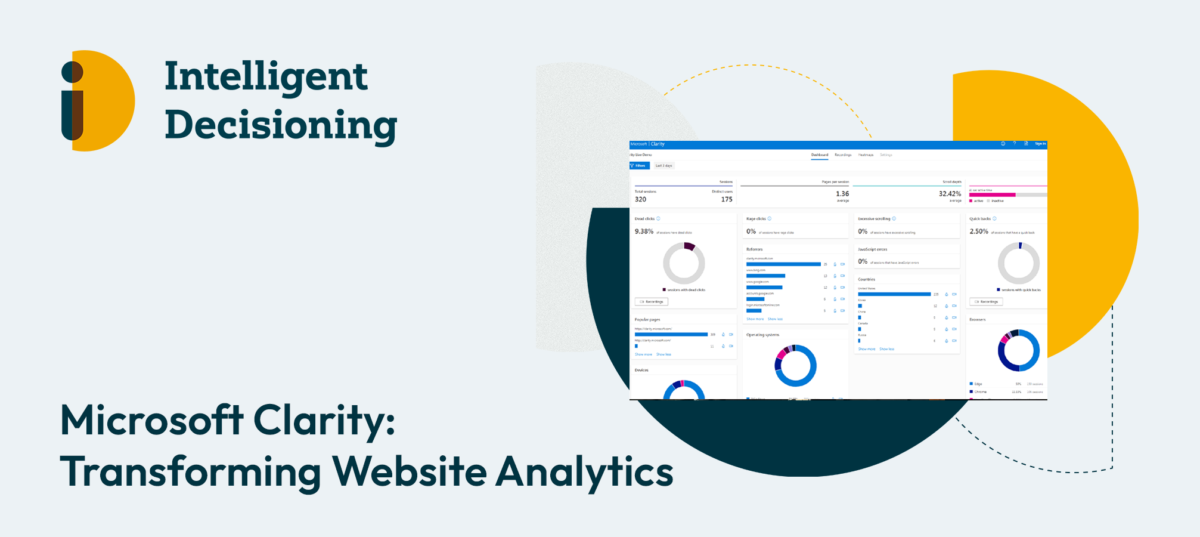
Insightful Dashboards: Get comprehensive analytics on user engagement, including metrics like click-through rates, scroll depth, and more. These dashboards help in making data-driven decisions to improve website design and content strategy.

Benefits of Using Microsoft Clarity:

Enhanced User Experience: By understanding user behaviour, you can optimise your website’s design and content to better meet your audience’s needs.

Improved Conversion Rates: Insights from Clarity can help you refine your website to improve conversion rates, whether it’s signing up for newsletters, making purchases, or engaging with content.

Seamless Integration: Microsoft Clarity can be easily integrated with other analytics tools like Google Analytics, providing a more comprehensive view of your website’s performance.

How to Get Started with Microsoft Clarity:

Setting up Clarity is straightforward. Simply sign up for a free account, add the Clarity tracking code to your website, and start collecting data. The user-friendly interface makes it easy to navigate and interpret the data collected.

Microsoft Clarity is more than just an analytics tool; it’s a window into your users’ online journey. With its advanced features and user-centric approach, Clarity enables website owners to make informed decisions to enhance their site’s usability and effectiveness. Whether you’re a small business owner, a digital marketer, or a web developer, Microsoft Clarity is an essential tool in your digital toolkit.

Categories

Celebrating our Marketing Executive’s Graduation!

It’s not every day that we get to celebrate the academic achievements of our team members. On the 14th of December, we all cheered for Syed Muhammad Salman Haider, our Marketing Executive, as he donned his cap and gown for the University of Nottingham‘s graduation ceremony. Our marketing consultant, Victoria Branch attended his graduation as it marks not only a personal milestone but also a professional one for Intelligent Decisioning.

We had a little chat with the new graduate:

Q: Tell us about the most intriguing project you tackled during your MSc.

Salman: Thanks! The most exciting project was a business simulation. It was like playing a strategy game but with real business skills—starting from scratch, balancing a tight budget across marketing, production, and operations, all while turning a profit. It was intense and incredibly educational.

Q: As a fresh graduate, what marketing trend do you think businesses should jump on next year?

Salman: It’s all about reels these days. Short, informative, benefit-oriented reels are the ticket to creating brand awareness and keeping your audience engaged and informed.

Q: Who keeps you company, musically, during work?

Salman: It’s Taylor Swift for me—always! Her music has the right mix of energy and storytelling that keeps me in the zone.

Q: Give us a fun fact or a hidden talent that no one at Intelligent Decisioning knows about you.

Salman: Well, aside from my marketing chops, I’m also a fashion stylist. So if anyone needs a style revamp, I’m your guy!

Q: Imagine you’re DJing for Intelligent Decisioning. What top 3 Taylor Swift tracks are we likely to hear on repeat?

Salman: I’d go with ‘Is it over now?’, ‘You’re losing me’, and ‘August’. Sorry in advance!

Q: Finally, how do you kick start your day, coffee or tea?

Salman: It’s tea for me. There’s nothing like starting the day with a soothing cup to get the gears turning.

Salman’s recent graduation is not just a testament to his dedication but also to the continuous learning culture we champion at Intelligent Decisioning. His journey from student to strategic marketer reflects our commitment to nurturing talent that pushes our collective thinking forward. Here’s to Salman, to many more achievements, and to the power of education in enriching our professional community.

Categories

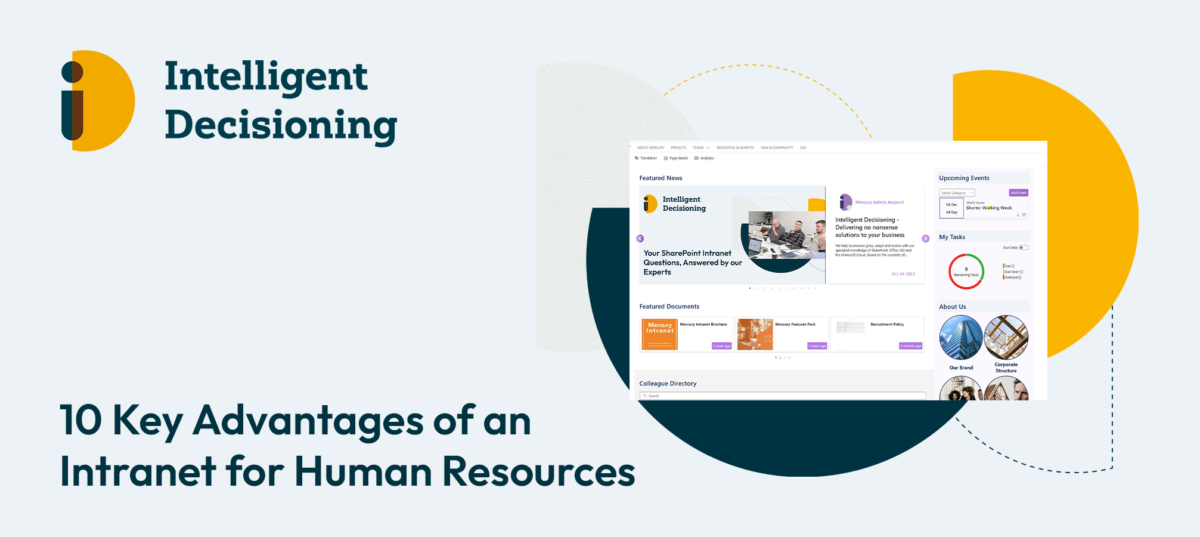
The Integral Role of Intranet in Employee Onboarding

The onboarding process is a critical phase in an employee’s journey, setting the tone for their future in the company. It’s where first impressions are made,   and foundations are built. With the digital transformation of workplaces, intranet solutions, particularly SharePoint Intranet, have become indispensable tools in making this experience as smooth and engaging as possible.

The Shift to Digital Onboarding

Gone are the days of paperwork-filled orientations. Today, businesses seek efficiency and engagement from the moment a new hire walks through the door. SharePoint Intranet serves as a centralised platform where all onboarding materials can be accessed, understood, and interacted with, fostering a sense of belonging from day one.

Centralised Information Access

A SharePoint Intranet portal can house all necessary onboarding documents, from HR policies to training modules. It allows new hires to easily navigate through the crucial first steps of their employment without feeling overwhelmed by the volume of new information.

Encouraging Engagement and Connection

Beyond document management, SharePoint Intranet encourages new employees to connect with their peers through social tools integrated into the platform. This social aspect of onboarding is vital, as it builds community ties and assimilates new hires into the company culture swiftly and organically.

Tailored Onboarding Experiences

Every role is unique, and so should be the onboarding process. SharePoint Intranet can be customised to deliver role-specific content, ensuring that from the get-go, employees receive relevant information that’s tailored to their specific job functions.

Tracking Progress and Providing Feedback

Feedback is a two-way street, especially in onboarding. SharePoint Intranet’s tracking capabilities allow HR managers to monitor the progress of new hires, while also providing a channel for these employees to voice their questions or concerns. This feedback loop is essential in creating a dynamic and responsive onboarding experience.

As the corporate world continues to embrace digital solutions, the role of intranet solutions like SharePoint Intranet in employee onboarding has become more pronounced. These platforms not only simplify the onboarding process but also enhance the overall experience for both the employee and the employer.

Intelligent Decisioning understands this nexus and offers expertise in tailoring SharePoint Intranet solutions to meet the nuanced needs of modern businesses, ensuring that the onboarding process is a launchpad for long-term engagement and success.

For companies looking to elevate their onboarding process and employee engagement, click here to book a free demo.

Categories

How Microsoft’s Copilot is a game-changer!

As we step into the future of artificial intelligence (AI) integration in business, Microsoft’s Copilot has emerged as a game-changing tool. Copilot has introduced a slew of new features and enhancements that promise to transform daily operations for businesses and individuals alike.

GPT-4 Turbo: The New Frontier in AI

A pivotal update in Copilot is the integration of OpenAI’s GPT-4 Turbo. This advanced AI model enhances user productivity by tackling more complex and extended tasks, particularly in areas like searching and writing​​​​.

The Creative Edge: DALL-E 3 and Image Generation

Copilot now incorporates the DALL-E 3 model, elevating the quality and accuracy of image creation. This integration broadens the scope of Copilot’s applications, extending its utility to creative and design-oriented tasks​​​​.

Microsoft Edge Integration: Streamlining Content Creation

In a significant move, Microsoft has enabled Copilot users to rewrite text directly from websites via Microsoft Edge. This feature simplifies the content creation and editing process, saving valuable time and effort​​.

Code Interpreter: Elevating Technical Capabilities

The forthcoming Code Interpreter feature in Copilot is set to assist in performing complex technical tasks such as accurate calculations, coding, and data analysis, marking a significant leap in AI-assisted development and problem-solving​​.

Deep Search: Optimising Information Retrieval

The Deep Search feature, powered by GPT-4, is slated to enhance Bing’s search capabilities. By expanding queries into more comprehensive descriptions, it aims to deliver more relevant and optimised search results for complex topics​​.

Microsoft 365 Copilot: Unleashing Workplace Efficiency

The general availability of Microsoft 365 Copilot is a major milestone, offering enhanced productivity and creativity tools across widely-used apps. This development is particularly crucial for enterprise customers, as it promises to augment work processes and efficiency​​.

Copilot Studio: Custom AI Solutions for Businesses

With the introduction of Copilot Studio, businesses can now customize Copilot for Microsoft 365 and build standalone copilots. This low-code tool allows for the creation of custom GPTs and plugins, tailored to specific business needs and scenarios​​.

The advancements in Microsoft’s Copilot underscore the growing role of AI in enhancing business operations. By harnessing these technologies, businesses can achieve greater efficiency, improved decision-making, and foster innovation. Copilot’s new features represent a significant step toward a more AI-integrated future, offering vast potential benefits for diverse industries and sectors.

Click to book a free demo today!

Categories

How Power Platform Can Streamline Business Operations

Embracing Efficiency with Intelligent Automation

In today’s fast-paced business environment, staying ahead of the curve requires not just hard work, but smart work. This is where Intelligent Decisioning steps in, offering a solution that revolutionises the way businesses operate: Microsoft Power Platform. This innovative suite of tools is not just about automation; it’s about transforming your business processes for heightened efficiency and effectiveness.

Why Power Platform?

Microsoft Power Platform is a dynamic, integrated application platform that allows businesses to create and deploy custom solutions tailored to their unique needs. At Intelligent Decisioning, we understand that each business is different, and generic solutions often fall short of addressing specific challenges. With Power Platform, the possibilities are limitless, from automating routine tasks to developing complex business applications.

Streamline and Simplify

One of the core components of Power Platform is Power Automate, a tool designed to streamline business processes through intelligent automation. Whether it’s managing approvals, routing documents, or syncing data across various systems, Power Automate reduces the manual effort required, freeing up your team to focus on more strategic tasks.

Data at Your Fingertips

Power BI, another key element of Power Platform, turns data into insights. In a world where data is king, understanding and leveraging this data is crucial. Power BI provides powerful analytics and visualisation capabilities, making it easier for decision-makers to grasp complex information at a glance and make informed decisions.

Custom Apps, No Code

For businesses needing bespoke solutions, Power Apps offers a no-code approach to app development. This means you can quickly build custom apps that meet your specific requirements, without the need for extensive programming knowledge. It’s about putting the power of innovation in the hands of those who know your business best – you.

Empowering Collaboration

Power Platform isn’t just about individual tools; it’s about how these tools work together and with other Microsoft 365 applications. This integration fosters a more collaborative and interconnected workspace, ensuring that your teams can work together seamlessly, no matter where they are.

Intelligent Decisioning: Your Power Platform Partner

As a Microsoft Gold Partner, Intelligent Decisioning brings a wealth of expertise in deploying and managing Power Platform solutions. Our approach is not just about technology; it’s about understanding your business and tailoring solutions that not only address your current needs but also scale for future growth.

Getting Started

Embarking on the journey of digital transformation with Power Platform is a step towards a more efficient, responsive, and innovative business. With Intelligent Decisioning, this journey is made simpler and more effective. We invite you to discover how our expertise in Power Platform can unlock new potentials for your business. Visit us at www.id-live.com to learn more and take the first step towards automating your path to success.

At Intelligent Decisioning, we believe in harnessing technology to create smarter business solutions. Power Platform is more than just a tool; it’s a pathway to transforming your business processes for a more efficient, empowered future. Let us guide you in unlocking its full potential.

Book a free demo!

Categories

A Day in the Life of Ross, our Agile Technical Team Lead

We pride ourselves on having a dynamic and diverse team, each bringing their unique skills and passions to the table. Today, we’re shining the spotlight on Ross Smith, our Agile Technical Team Lead, who shares insights into his daily routine, interests, and the music that keeps him going.

Q&A with Ross Smith

Q: What is your go-to productivity hack?

Ross: “Avoid context switching! Context switching is when you’re jumping between various task and tooling, and since each day at ID can be different it’s important to recognise when you might be attempting to do too much at once. To avoid this every morning, I review my emails and digest what I need to get done each day. I then section out my day to provide enough time for each individual task then tick them off one by one.”

Q: If you could switch roles with anyone in the company, who would it be and why?

Ross: “I’d have to say Nathan Slater. Nathan is one of our developers and if anything, it’d be a chance to go back to my roots at ID. It’d give me an opportunity get my hands dirty working with code and refresh myself on the inner workings of our products once again. Though I’m not sure if Nathan would like to swap with me though!”

Q: Who’s your go-to background music singer while you are working?

Ross: “Knowing my colleagues, some of us are very into our music, this is the question I’m also the most curious to see others answer! Though I have multiple playlists with a lot of hours of music in, if I had to pick someone to listen to in the background I’d say Porcupine Tree. They are a British Experimental/Prog Rock band, so you hit shuffle then enjoy the journey while you work.”

Q: Share a fun fact or a hidden talent about you that no one at the company knows.

Ross: “I really enjoy bouldering. Whereas most my day is spent solving problems at a computer, bouldering lets me do the same thing, but using my body and moving around. The physicality of it helps keep me active, and a little bit appreciative that I get to sit in an office chair every day. Especially after a hard session the night before working on sending something new.”

Q: Do you start your day with coffee or tea?

“Tea! I have a morning routine that’s essentially set in stone that means I’m at my desk with a cup of tea ready to host the daily stand-up call every morning by 9:15am. Though it doesn’t end there. Anytime I feel like I’ve come to a good point in my working day, be it after a long task or series of short ones, I find my self popping the kettle on. Old habits die hard.”

We’re incredibly fortunate to have Ross as part of our team, bringing his unique blend of skills, enthusiasm, and experience to the table. It’s team members like him that make Intelligent Decisioning not just a workplace, but a vibrant community of diverse talents and personalities.